

New Based Cloud Web Application
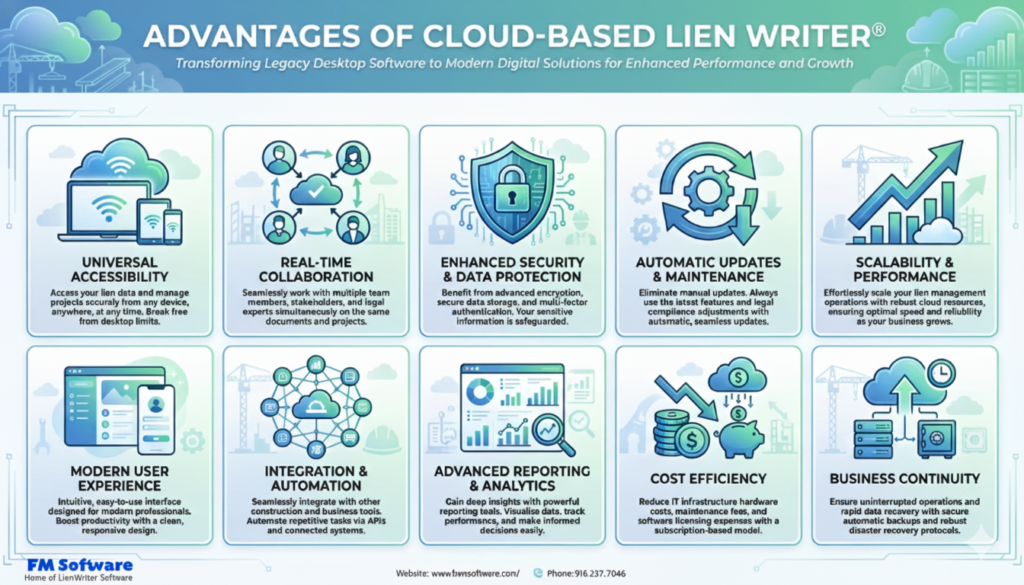
Key Advantages
1. Universal Accessibility
- Access from any device with a web browser (Windows, Mac, Linux, tablets, smartphones)
- No installation required – instant access via URL
- Work from anywhere – office, home, job site, or on the road
- Responsive design optimized for all screen sizes
- Mobile-first interface for field workers and contractors
2. Real-Time Collaboration
- Multiple users can work simultaneously on different jobs
- Instant updates visible to all team members
- Centralized data eliminates version conflicts
- Role-based access control for different team members
- Activity logs and audit trails for compliance
- Shared job files across departments and locations
3. Enhanced Security & Data Protection
- Enterprise-grade cloud security with encryption at rest and in transit
- Automatic daily backups with disaster recovery
- No risk of data loss from local hardware failure
- Multi-factor authentication (MFA) support
- Compliance with industry security standards (SOC 2, GDPR)
- Granular user permissions and access controls
- Secure document storage and retrieval
4. Automatic Updates & Maintenance
- Instant deployment of legal updates across all users
- No manual installation or IT intervention required
- Always running the latest version with newest features
- Continuous compliance with changing state and federal laws
- Bug fixes and improvements deployed seamlessly
- Zero downtime for updates
5. Scalability & Performance
- Scales automatically to handle growing business needs
- No hardware limitations or server capacity concerns
- Support for unlimited users without performance degradation
- Cloud infrastructure handles peak loads efficiently
- Pay-as-you-grow pricing models available
- Global content delivery for fast access worldwide
6. Modern User Experience
- Intuitive, modern interface built with React
- Faster navigation and streamlined workflows
- Advanced search and filtering capabilities
- Customizable dashboards and views
- Drag-and-drop functionality
- Keyboard shortcuts for power users
- Dark mode and accessibility features
7. Integration & Automation
- API access for integration with accounting systems (QuickBooks, Sage, etc.)
- Integration with project management tools
- Email automation for notices and reminders
- Electronic signature integration (DocuSign, Adobe Sign)
- Automated certified mail tracking
- Export to multiple formats (PDF, Excel, CSV)
- Webhook support for custom workflows
8. Advanced Reporting & Analytics
- Real-time dashboards with job status visualization
- Custom report builder with filters and grouping
- Aging reports with color-coded alerts
- Financial analytics and collection tracking
- Export reports to Excel, PDF, or CSV
- Scheduled report delivery via email
- Historical trend analysis and forecasting
9. Cost Efficiency
- Reduced IT infrastructure costs (no servers to maintain)
- Lower total cost of ownership over time
- Predictable subscription pricing
- No hardware upgrade expenses
- Reduced support and maintenance costs
- Elimination of software installation labor
- Energy savings from reduced on-premise infrastructure
10. Business Continuity
- Access from any location during emergencies
- Automatic failover and redundancy
- No single point of failure
- Disaster recovery built into cloud infrastructure
- Work continues even if office is inaccessible
- Data preserved across hardware failures
New Features Exclusive to Cloud Web Application
- Document Management System: Upload, store, and attach supporting documents (contracts, invoices, photos) directly to job files
- Email Integration: Send preliminary notices and lien documents directly from the application with tracking
- Calendar & Deadline Management: Automated deadline tracking with email/SMS reminders for critical dates
- Client Portal: Optional portal for clients to view job status and documents
- Mobile App Companion: Native mobile apps for iOS and Android for on-the-go access
- Electronic Filing: Direct electronic filing with county recorders where available
- Batch Processing: Enhanced bulk operations for high-volume users
- Template Customization: Web-based template editor for custom forms and branding
- Multi-Company Support: Manage multiple business entities from single account
- Advanced Search: Full-text search across all jobs, contacts, and documents
- Workflow Automation: Configurable workflows for approval processes
- Payment Tracking: Track payments received and outstanding balances
- Vendor/Subcontractor Portal: Allow subs to submit their own preliminary notices
- Compliance Alerts: Proactive notifications about upcoming deadlines and requirements
Migration & Transition Strategy
FWM Software understands the importance of a smooth transition from the legacy FoxPro application to the new cloud platform. The migration strategy includes:
- Complete data migration from FoxPro to cloud database
- Parallel running period – use both systems during transition
- Comprehensive training and onboarding for all users
- Dedicated migration support team
- Data validation to ensure accuracy
- Familiar interface elements to reduce learning curve
- Import/export tools for data verification
Conclusion
While the Visual FoxPro version of Lien Writer® has been a reliable workhorse for over two decades, the construction industry’s needs have evolved. The new React-based cloud web application represents the future of lien management software, offering unprecedented accessibility, collaboration, security, and integration capabilities.
The cloud platform maintains all the core functionality that users depend on while adding modern features that enhance productivity, reduce risk, and improve compliance. For construction companies looking to modernize their operations, streamline workflows, and empower their teams with anytime-anywhere access, the cloud-based Lien Writer® is the clear path forward.
The transition from desktop to cloud is not just a technology upgrade—it’s a strategic investment in the future of your business operations.
Leave a Reply